Atlas Scan to Order for Singapore restaurants

QR ordering, made for your brand.

Let diners scan, order and pay from their phones. Atlas keeps the menu, POS and kitchen connected.

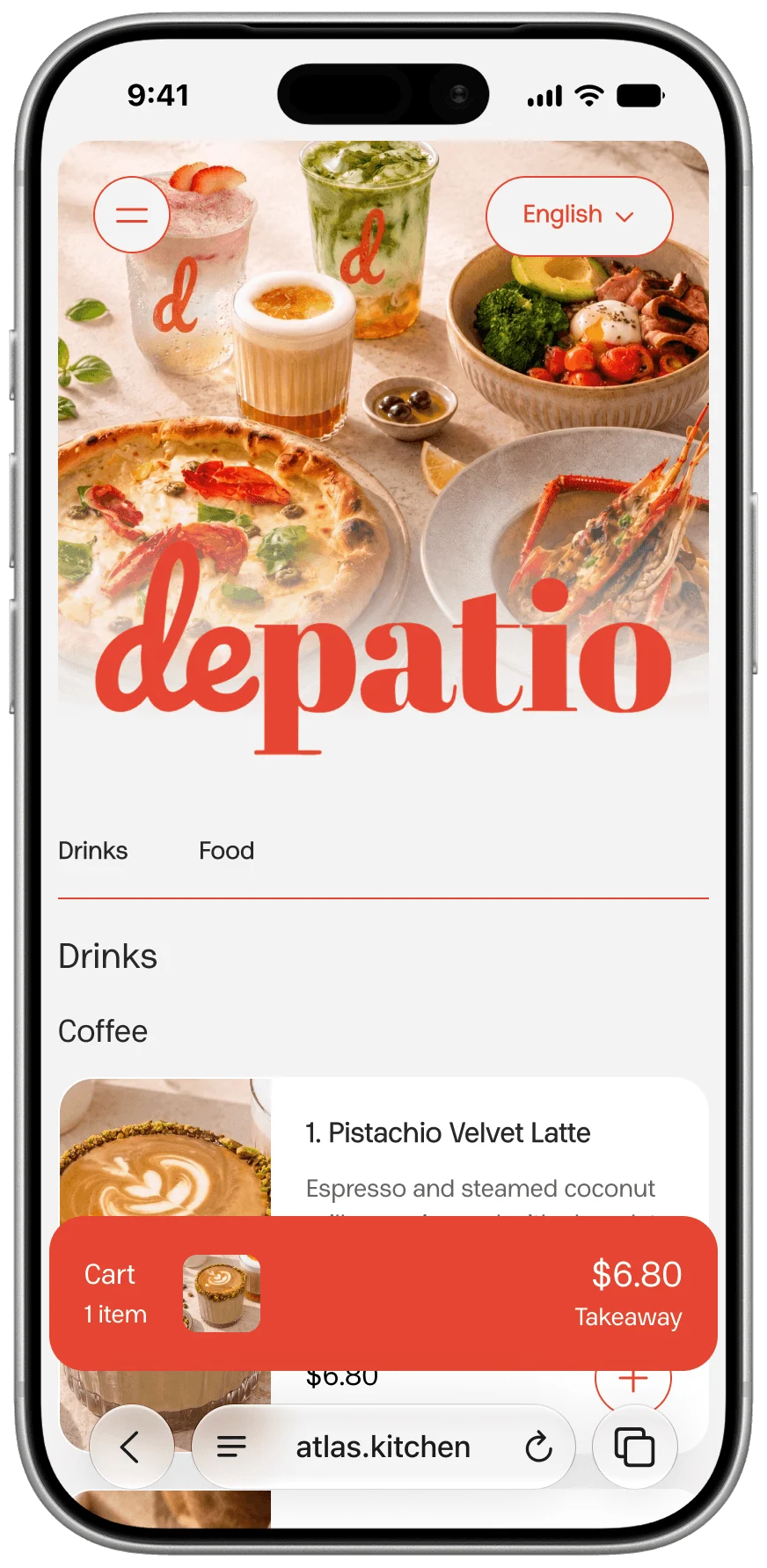
Depatio branded Scan to Order storefront
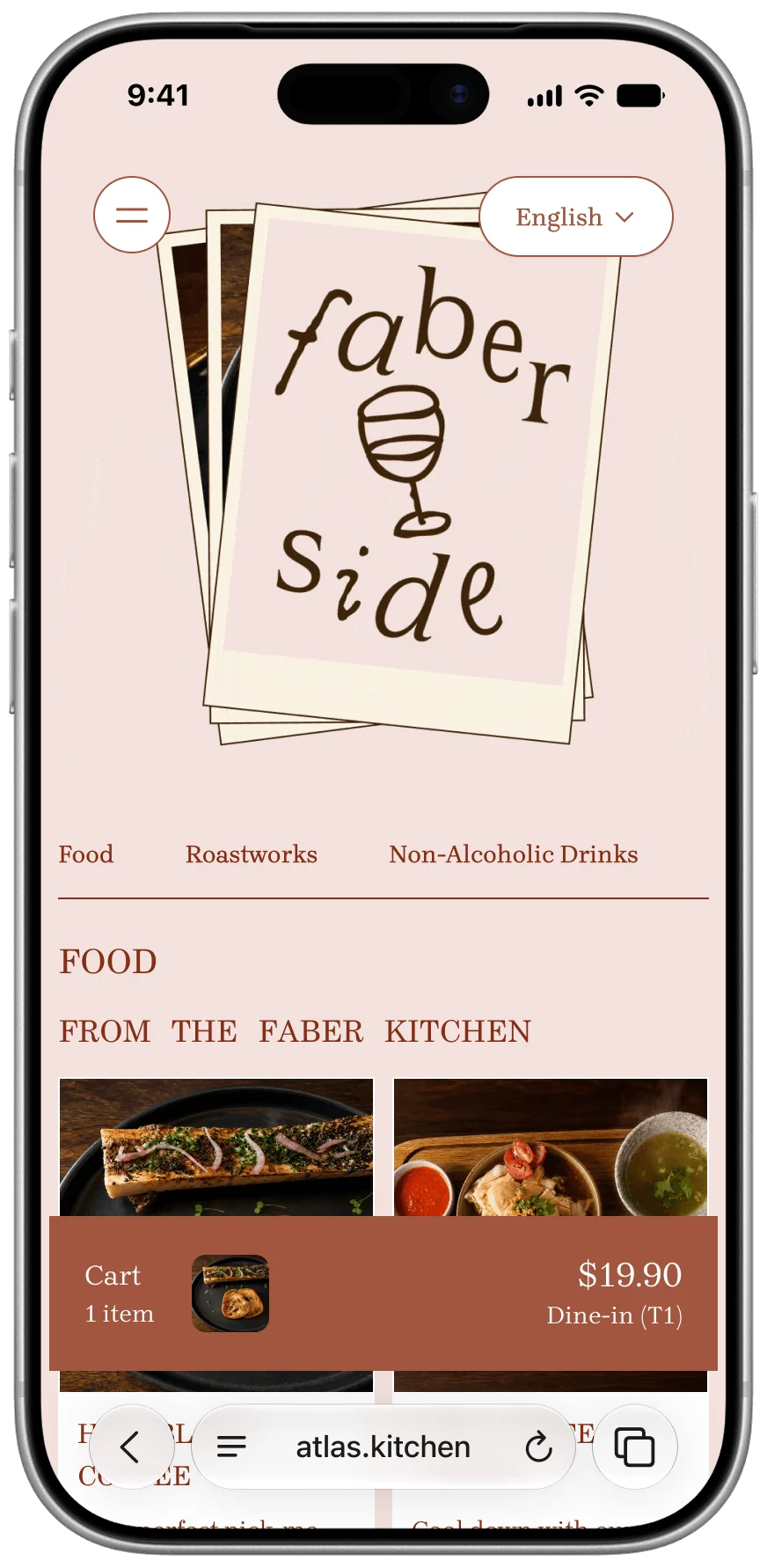
Faber Side branded Scan to Order storefront
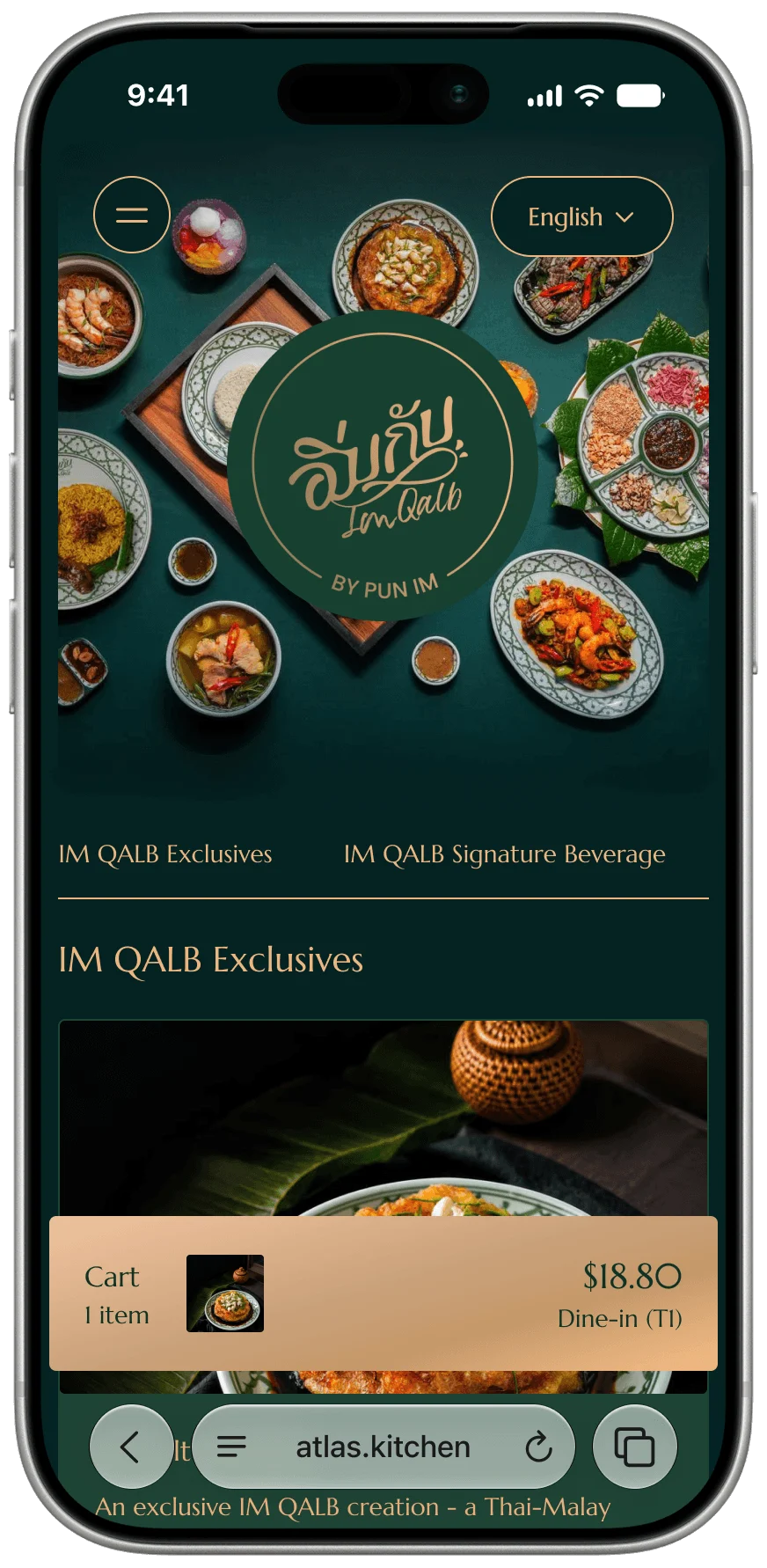
Im Qalb branded Scan to Order storefront
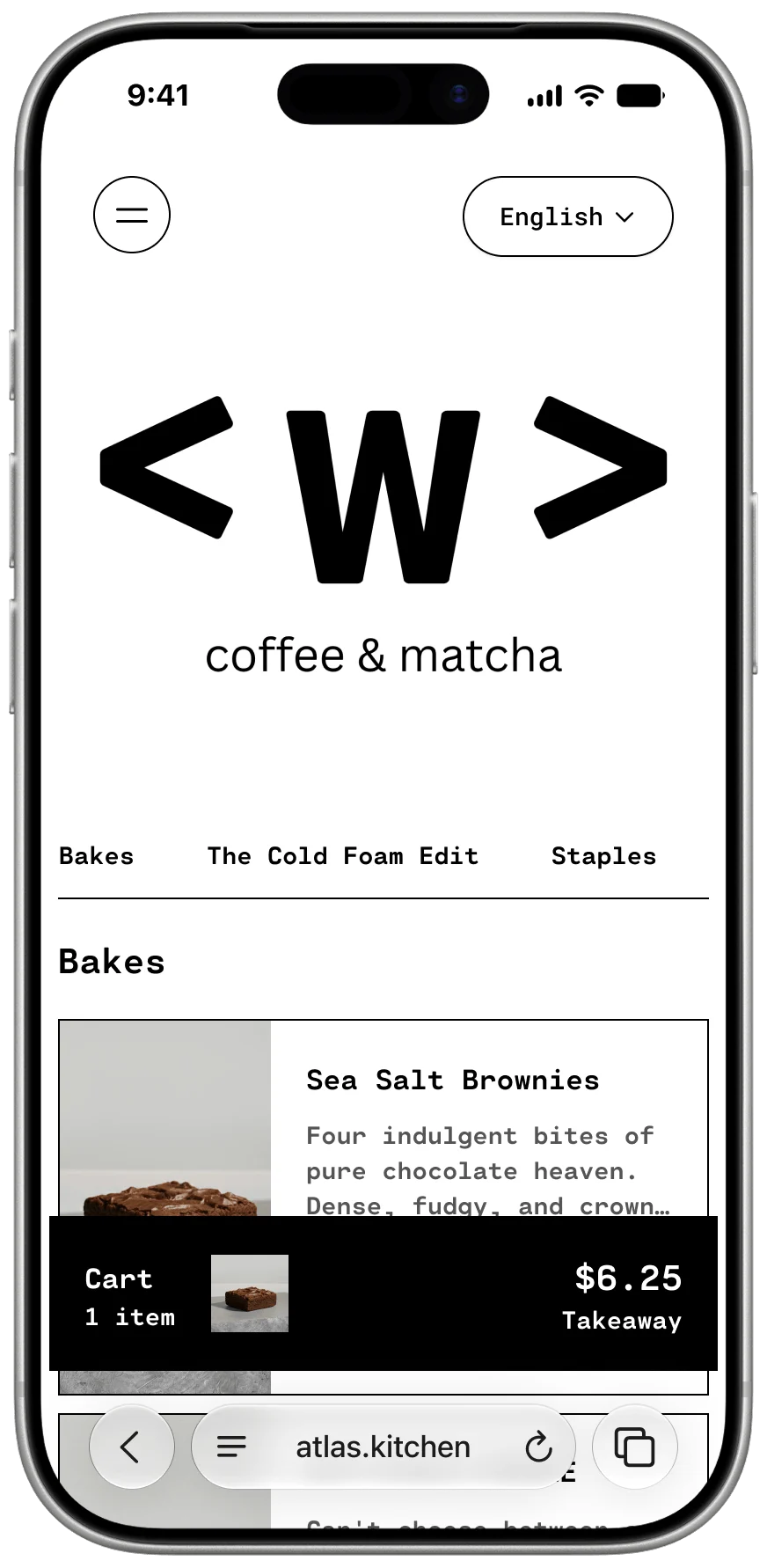
W Coffee and Matcha branded Scan to Order storefront

From table to kitchen

How Atlas' QR system supports your business

01

Turn menu browsing into bigger orders

Clear photography and a branded digital menu make more of your food easy to discover, helping lift average order value.

Screenshot slot

Turn menu browsing into bigger orders image

Add a supporting product or restaurant image.

02

Serve more diners with a leaner team

Diners browse, order and pay for themselves, reducing manual order taking and pressure on headcount.

Screenshot slot

Serve more diners with a leaner team image

Add a supporting product or restaurant image.

03

Create another sales moment at checkout

Relevant add-ons and suggestions give diners an easy reason to add one more item before they pay.

Screenshot slot

Create another sales moment at checkout image

Add a supporting product or restaurant image.

04

Keep every order moving accurately

Orders flow into connected POS and kitchen workflows, reducing re-entry and helping the team prepare the right items.

Screenshot slot

Keep every order moving accurately image

Add a supporting product or restaurant image.

Your brand, not ours

Every Atlas ordering experience is built around your brand.

Atlas Scan to Order gives diners a direct experience with your restaurant. Use these slots to show how different brands can create distinctive ordering pages while staying connected to the same Atlas operating system.

Screenshot slot

Branded restaurant example one

Add a mobile screenshot with strong restaurant colours, photography and menu styling.

Screenshot slot

Branded restaurant example two

Add a contrasting restaurant example to demonstrate how different each Scan to Order experience can feel.

More than a digital menu

Small details that make ordering and service better.

Call Staff

Let diners request help from the table when they need service, instead of waving across the room.

Suggested items at checkout

Recommend relevant add-ons before payment so diners can complete the meal and operators can grow order value.

Modifiers and add-ons

Make choices clear for sizes, extras, cooking preferences and other menu customisations.

Connected menu and operations

Manage products, menus and stock in Atlas, keep QR orders alongside POS, and connect kitchen production through Atlas KDS.

Loyalty and retention

Let diners join your loyalty programme after payment, earn cashback or points, and receive retention emails that bring them back.

Customer and order data

Keep order activity in the Atlas operating system so reporting, customers and day-to-day operations stay connected.

Built for restaurant operations

The QR page is only the front door.

Behind it, Atlas connects the workflows a restaurant needs to run service: menu management, order taking, payments, kitchen production, customers, stock and reporting.

Diner experience

Your branded Scan to Order page

Ordering

Atlas Scan to Order and Atlas POS

Production

Atlas KDS for bar and kitchen teams

Management

Menus, stock, customers, orders and reports in Atlas

FAQ

What is a QR code ordering system?+

A QR code ordering system lets restaurant customers scan a code with their phone, view a digital menu, place an order and pay without downloading an app. The best systems connect those orders to the restaurant’s POS, kitchen workflow, menu and reporting rather than operating as a separate ordering tool.

Does Atlas QR ordering connect to the POS?+

Yes. Atlas Scan to Order is part of the Atlas restaurant operating system, so table orders stay connected with Atlas POS, menus, stock, customers, reporting and other ordering channels.

Can customers call staff from the QR ordering page?+

Yes. Call Staff gives diners a direct way to request help from their table when they need service.

Can Atlas suggest additional items at checkout?+

Yes. Atlas can surface suggested items at checkout, helping diners discover relevant add-ons before they complete payment.

Can the ordering page match my restaurant brand?+

Yes. Atlas Scan to Order is designed to give each restaurant a branded ordering experience rather than sending every diner through the same generic marketplace page.

Can QR orders go to a kitchen display system?+

Yes. Atlas can connect Scan to Order with Atlas KDS so bar and kitchen teams can see what needs to be prepared across ordering channels.

Make every scan feel like your restaurant

See how Atlas Scan to Order can fit your brand, menu and service workflow.

Ask about Scan to Order